


Understanding GMC ProGrade Trailering and How It Simplifies Towing
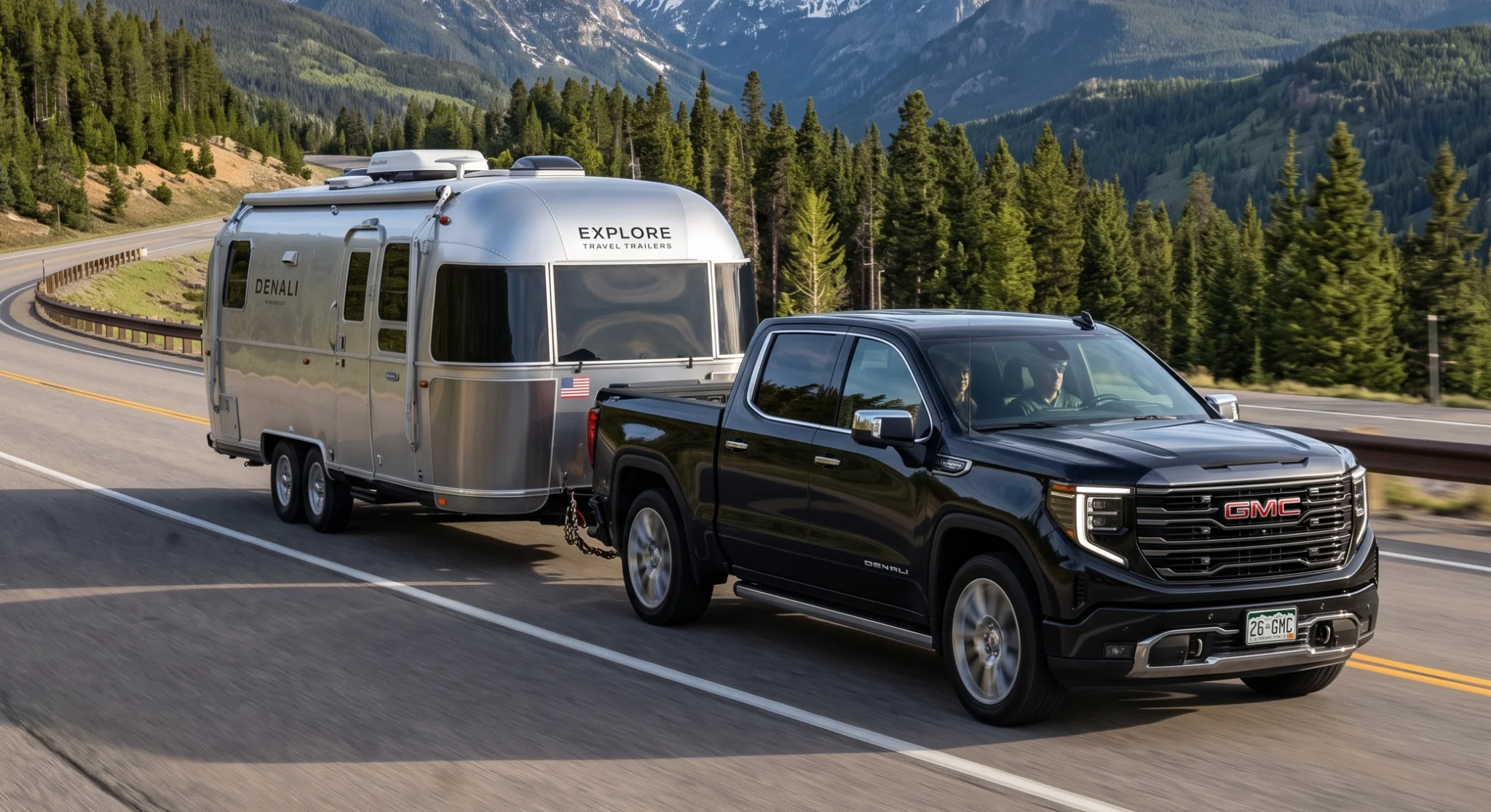
What is GMC ProGrade Trailering, and how does it work? This trailering technology suite integrates hardware, software, and high-resolution cameras to take the stress out of hitching, pulling, and parking a load. Instead of relying on a spotter or guessing at your alignment, the system unifies several tools directly onto your infotainment screen. It provides real-time trailer data, step-by-step pre-departure checklists, and multiple camera perspectives to make towing a more controlled, confident operation.
ProGrade Trailering is available across the GMC truck lineup — from the midsize Canyon to the light-duty Sierra 1500 and the heavy-duty Sierra HD, and on the Yukon and Yukon XL full-size SUVs — with the depth of features scaling by model, trim, and equipment package. The technology links your truck’s electrical architecture to specialized sensors and cameras, translating physical trailer measurements into clear, actionable cues on your dashboard.
ProGrade Trailering vs. a Standard Towing Package
How does the system differ from a traditional towing setup? A standard trailering package focuses on physical hardware — a hitch receiver, 7-pin and 4-pin electrical connectors, and heavy-duty cooling. That hardware is essential for physically connecting a trailer, but it offers no digital assistance while you drive. ProGrade Trailering builds on that hardware foundation with a digital command center, adding the In-Vehicle Trailering App, customizable trailer profiles, and automated setup tools.
What Each Setup Includes
| Capability | Standard Towing Package | ProGrade Trailering System |
|---|---|---|
| Hitch receiver & electrical connectors | Included | Included |
| Heavy-duty cooling | Included | Included |
| In-Vehicle Trailering App | Not included | Included |
| Customizable trailer profiles | Not included | Up to 5 trailers |
| Automatic trailer light test | Not included | Included |
| Multiple camera views | Not included | Included (scales by model) |
| Integrated trailer brake controller | Not included | Available |
ProGrade Components at a Glance
Instead of needing a second person to stand behind the truck to check brake lights and turn signals, the system runs an automatic trailer light sequence test that cycles through the exterior lights while you watch from outside. The table below breaks down the digital tools ProGrade adds on top of the physical hardware.
| Component | What It Does | Availability |
|---|---|---|
| In-Vehicle Trailering App | Central command center on the touchscreen for trailer data and setup | Standard with the system |
| Trailer Profiles | Store dimensions, hitch type, and brake settings for quick recall | Up to 5 trailers |
| Automatic Trailer Light Test | Cycles exterior lights for one-person verification | Standard with the system |
| Integrated Trailer Brake Controller | In-cabin brake gain adjustment tied to the truck’s ABS | Available |
| Trailer Side Blind Zone Alert | Extends blind-zone detection along the length of the trailer | Available |
| Transparent Trailer View | Stitches truck and trailer camera feeds into a see-through view | Available (requires accessory trailer camera) |
To find a truck equipped with these tools, browse our new GMC inventory online. One important note: you can’t fully retrofit the complete suite after purchase. The system relies on factory-installed wiring harnesses, camera modules, and software integrated into the infotainment system — which is why it pays to spec the right package during your initial build.
Transparent Trailer View and GMC’s Camera Suite
Of all the ProGrade tools, the camera suite is the one drivers notice first. Imagine being able to see straight through a box trailer or camper — GMC’s available Transparent Trailer View does exactly that. By mounting an available accessory camera on the rear of the trailer, the system stitches together video from the truck’s rear camera and the trailer camera into a single, real-time view on the center screen, making the trailer behind you appear virtually invisible.
That visibility matters most when you’re merging, changing lanes, or backing into a tight space with a long trailer, where a clear view of the traffic directly behind the trailer reduces fatigue and helps prevent costly mistakes. The number of available camera views scales by model.
Available Camera Views by Model
| Model | Up to Available Camera Views | Notable Perspectives |
|---|---|---|
| Canyon (midsize) | Up to 10 | Hitch View, segment-first underbody camera |
| Yukon / Yukon XL | Up to 13 | HD Surround Vision, Hitch View, Rear Camera Mirror |
| Sierra 1500 (light-duty) | Up to 14 | Hitch View, Bed View, Transparent Trailer View |
| Sierra HD (heavy-duty) | Up to 14 | Hitch View, Bed View, Transparent Trailer View |
Hitch View helps with precise alignment during hookup, while Bed View keeps an eye on cargo or a gooseneck connection. On the Canyon, the segment-first underbody camera also helps spot obstacles when maneuvering off-pavement or into a tight campsite.
Driver-assist and safety systems are supplemental aids and are not a substitute for safe, attentive driving. Their effectiveness depends on weather, road, and traffic conditions and other factors. Always obey traffic laws and stay attentive to the road. See your owner’s manual for system details and limitations.
Inside the Tech: Brake Controller, Blind Zone Alerts, and the Trailering App
Beyond the cameras, three systems do most of the day-to-day work on the road — a brake controller, a blind-zone alert, and the trailering app.
Integrated Trailer Brake Controller
Built into the vehicle’s braking system rather than added as an aftermarket unit. You can adjust the trailer brake gain from inside the cabin, and because the controller communicates with the truck’s anti-lock braking system, it delivers measured braking so your trailer slows in sync with the truck.
Trailer Side Blind Zone Alert
Extends the truck’s side blind-zone detection area rearward along the length of your trailer. If a vehicle enters that extended blind spot, an alert illuminates on your side mirror to warn you before you merge.
In-Vehicle Trailering App
Your command center from the central touchscreen. Monitor trailer tire pressure, track trailer tire temperature, and view trailer-specific mileage. You can also store profiles for up to five different trailers.
If you prefer a truck that already carries these features, explore our quality used inventory.
Towing Capability Across the GMC Truck Lineup
This trailering technology pairs with real capability at every size in the GMC truck lineup. Whether you need a midsize hauler for weekend gear or a heavy-duty rig for a fifth-wheel, there’s a GMC truck built for the job. The Canyon anchors the midsize end, and its underbody camera makes it a practical choice for buyers who tow into rougher terrain. At the SUV end, the Yukon and Yukon XL bring ProGrade trailering technology to family haulers, pairing three-row space with the ability to pull a boat or a mid-size travel trailer. The table below summarizes maximum available towing when each truck is properly equipped.
| Model | Maximum Available Towing |
|---|---|
| Canyon (midsize) | Up to 7,700 lbs |
| Yukon / Yukon XL | Up to 8,400 lbs |
| Sierra 1500 (2.7L TurboMax) | Up to 9,400 lbs |
| Sierra 1500 (5.3L V8) | Up to 11,200 lbs |
| Sierra 1500 (6.2L V8) | Up to 13,100 lbs |
| Sierra 1500 (3.0L Duramax diesel) | Up to 13,300 lbs |
| Sierra 2500 HD | Up to 22,390 lbs (gooseneck / fifth-wheel) |
| Sierra 3500 HD | Up to 36,000 lbs (fifth-wheel, dually diesel) |
Maximum ratings depend on cab, bed, drivetrain, engine, and hitch type. On the Sierra HD, the highest figures require the Duramax 6.6L Turbo-Diesel V8 (470 hp, 975 lb-ft), the Max Trailering Package, and a gooseneck or fifth-wheel setup. Always confirm the rating for your specific configuration on the vehicle’s door-jamb label.
Maximum towing and payload capacity figures are based on properly equipped vehicles and vary by configuration. Do not exceed any weight rating. See your owner’s manual and the vehicle’s door-jamb label for specific capacities.
Common Questions About GMC ProGrade Trailering
Is the ProGrade package worth the extra cost?
If you only pull a small utility trailer once or twice a year, a standard package may be enough. But if you regularly tow a boat, camper, or horse trailer, the time saved at the hitch and the confidence of the active safety alerts make the system highly valuable — it turns towing from a stressful, multi-person chore into a confident, one-person task.
How does the system handle different trailers?
The In-Vehicle Trailering App lets you store profiles for up to five distinct trailers. You can enter each trailer’s dimensions, hitch type, and brake configuration. When you hook up, you select the matching profile and the truck calibrates its blind-zone alerts, camera views, and braking assist to that specific load.
Which GMC trucks offer ProGrade Trailering?
It’s available across the Sierra 1500, Sierra HD, and Canyon lineups, as well as the Yukon and Yukon XL, with the depth of features scaling by model and package. Larger trucks add capability geared toward heavier loads and more advanced camera coverage.
Setting Up Your Trailer and Getting Started
The first time you set up a trailer, the screen guides you through entering the trailer’s dimensions — length, width, and hitch-to-axle measurements. That data calibrates Transparent Trailer View and ensures the side blind-zone sensors cover the correct distance. Once calibrated, the system saves the profile so you’re ready to roll on your next trip.
If you need wiring adapters, camera accessories, or hitches to complete your setup, you can order genuine OEM components through our parts department. For personalized help choosing the right configuration, get directions to our Waxahachie showroom or call our truck specialists at 214-903-4359.
This information is provided for general educational purposes only. Vehicle specifications, features, and availability are subject to change; confirm current details with the dealership. Maximum towing and payload figures assume a properly equipped vehicle — always consult your owner’s manual and the vehicle’s door-jamb label before towing.
0 comment(s) so far on Understanding GMC ProGrade Trailering and How It Simplifies Towing