


The 2026 GMC Infotainment System: A Guide to Google Built-In
The 2026 GMC lineup is built around Google built-in, a native infotainment platform that puts Google Maps, Google Assistant, and the Google Play Store directly into the vehicle — no tethered smartphone required to reach core navigation and media. Because the software is native to the vehicle rather than projected from a phone, the interface stays responsive, and Google Maps can deliver real-time traffic and routing on its own connection. Those native Google features — Maps, Assistant, and Play Store apps — do require an active OnStar trial or data plan (or a personal mobile hotspot) to stay connected once the included trial period ends.
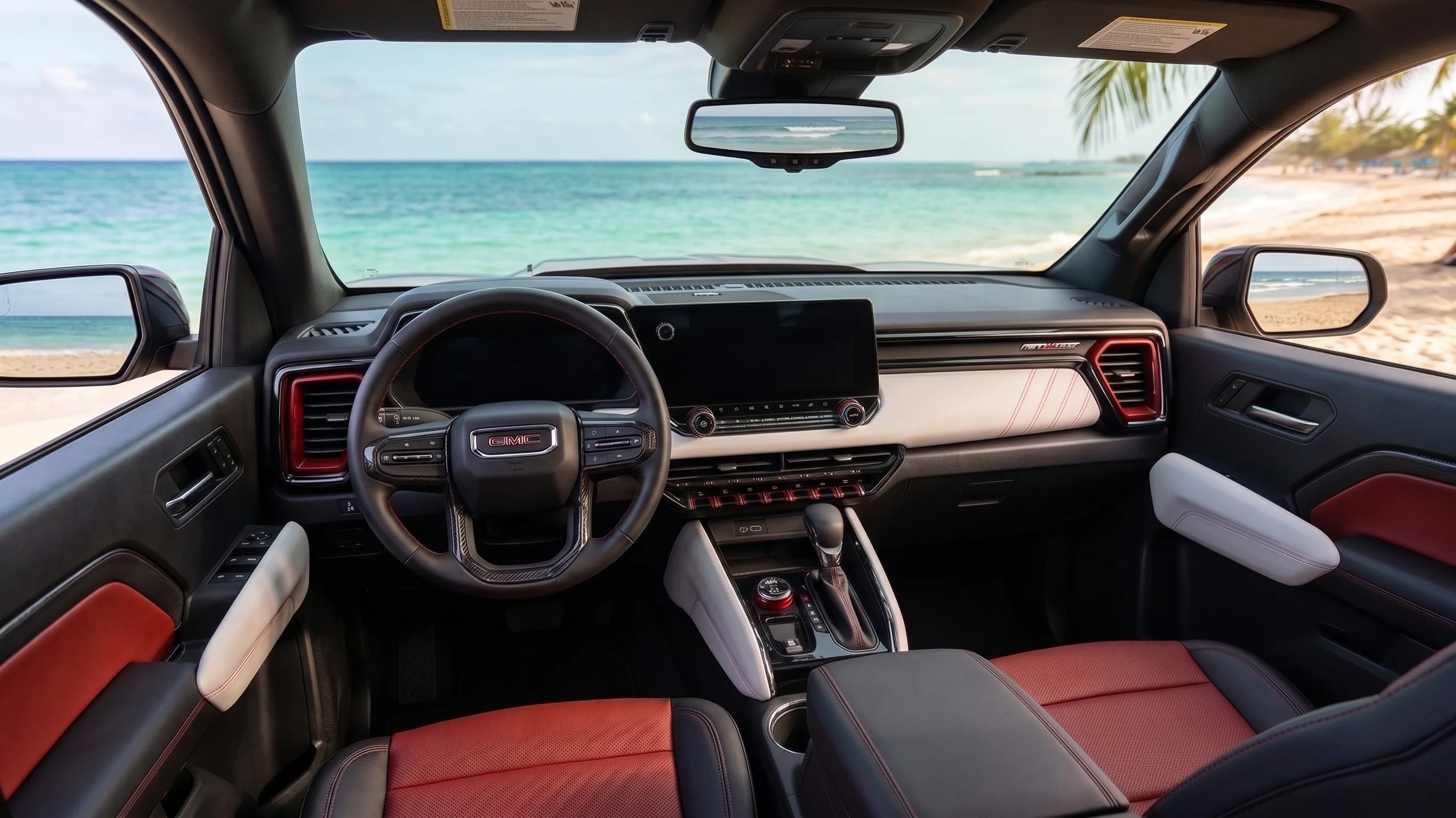
Drivers in Waxahachie and the surrounding communities will find Google built-in across the current GMC range, from the Terrain to the Sierra 1500 and Yukon. The system includes Google Assistant for voice control of climate and media, with the newer Gemini assistant rolling out in 2026 as an opt-in, more conversational successor you can switch on through the vehicle’s settings. Passengers can also tap an available OnStar 5G Wi-Fi hotspot to stream on personal devices, and you can download audiobooks, music, and podcast apps straight to the vehicle through Google Play so entertainment is ready the moment you start driving.
Infotainment Screens Across the 2026 GMC Lineup
Screen size and layout vary by model. Here is how the central touchscreen and driver display compare across three popular 2026 GMC vehicles.
| Model | Central Touchscreen | Driver Information Center |
|---|---|---|
| 2026 GMC Terrain | 15-inch Premium GMC Infotainment (HD color) | 11-inch digital display |
| 2026 GMC Sierra 1500 | 13.4-inch Premium GMC Infotainment (SLE and above) | 12.3-inch digital display |
| 2026 GMC Yukon | 16.8-inch Premium GMC Infotainment | Digital display; available 15-inch Head-Up Display |
Smartphone Projection and Google Built-In, Side by Side
Yes, CarPlay and Android Auto Still Work
A common question we hear: can you still use Apple CarPlay and Android Auto if your GMC already has Google built-in? On the 2026 gas trucks and SUVs — including the Sierra 1500, Canyon, and Yukon — yes. Every one of these models includes standard wireless Apple CarPlay and wireless Android Auto. (Note that GMC’s electric models, such as the Hummer EV, have moved to Google built-in without smartphone projection.) While the native Google system is capable on its own, projection lets you mirror your phone’s familiar interface for messaging and third-party apps without a USB cable.
Switching Between Systems
Switching between the native Google interface and a projected phone screen is handled by a single icon on the main menu — handy for families who share a vehicle across different phone ecosystems. The 2026 Canyon offers this technology across its Elevation, AT4, AT4X, and Denali trims, giving mid-size truck owners the same connectivity as full-size SUV drivers.
How Native Google Navigation Works
The advantage of Google built-in is that Google Maps is part of the vehicle’s own operating system rather than something projected from a phone. That native integration lets the vehicle work directly with Maps — suggesting charging stops for electric models or factoring routing around real-time conditions — and extends to voice control through Google Assistant (and now Gemini). You can use natural language to adjust cabin temperature, manage navigation and media, and access connected vehicle functions hands-free.
It’s worth noting the navigation landscape is shifting industry-wide: several automakers, GMC among them, now run native Google Maps rather than the older projected or proprietary navigation databases that defined earlier infotainment systems. To explore models equipped with the most advanced version of this tech, you can browse our new GMC inventory.
Troubleshooting Unresponsive Screens and System Updates
Performing a Soft Reset
If your 2026 GMC infotainment screen freezes or becomes unresponsive, the first step is usually a soft reset. On GMC vehicles with Google built-in, put the vehicle in Park and press and hold the phone hangup (“End Call”) button on the steering wheel for about 10–20 seconds until the center display turns off and reboots. This power-cycles the software without affecting your saved settings, and it often clears minor glitches.
Over-the-Air Updates and Data Plans
Most 2026 GMC vehicles support over-the-air (OTA) updates, letting GMC send software improvements directly to the vehicle without a dealership visit. Keep in mind that the full Google built-in app suite — the Google Play Store and native Google Maps — requires a paid OnStar data plan once the initial trial expires. Without one, you can still use the screen for Bluetooth audio and radio, or rely on wireless smartphone projection for navigation.
If a soft reset doesn’t resolve a persistent issue, our service team can run a diagnostic and confirm your system is on the latest firmware.
Common Questions About 2026 GMC Infotainment
Does the 2026 GMC infotainment system support wireless Apple CarPlay?
Yes — wireless Apple CarPlay is standard across the 2026 GMC gas lineup, including the Sierra 1500, Canyon, and Yukon. It mirrors your iPhone’s interface for calls, music, and apps like Waze or Spotify without a USB cable. GMC’s electric models use Google built-in without projection.
Can I use the navigation system without a paid data plan?
The native Google Maps app requires an active OnStar trial or data plan (or a personal mobile hotspot) for real-time traffic and routing. Without one, you can still navigate by projecting your phone’s maps via Apple CarPlay or Android Auto.
Are over-the-air (OTA) updates supported in 2026 GMC vehicles?
Yes. 2026 GMC vehicles are designed to receive OTA updates that improve stability, add interface features, and update maps without a manual dealership installation.
What is Google Gemini and how does it work in the vehicle?
Gemini is Google’s AI assistant, rolling out in 2026 as an opt-in successor to Google Assistant within Google built-in. It uses natural-language voice commands to manage vehicle tasks like climate control and navigation, and you can switch back to standard Google Assistant in the settings menu.
How do I fix a screen that is frozen or black?
Most freezes clear with a soft reset: with the vehicle in Park, hold the phone hangup (“End Call”) button on the steering wheel for about 10–20 seconds. If the screen stays black afterward, it may point to a hardware issue that needs professional service.
See the 2026 GMC Lineup in Action
From the 15-inch HD touchscreen in the new Terrain to the 13.4-inch Premium GMC Infotainment System in the Sierra 1500, these displays are designed to make every drive more connected. To see how Google built-in, Gemini, and wireless projection work for yourself, visit our showroom or explore the lineup online.
0 comment(s) so far on The 2026 GMC Infotainment System: A Guide to Google Built-In